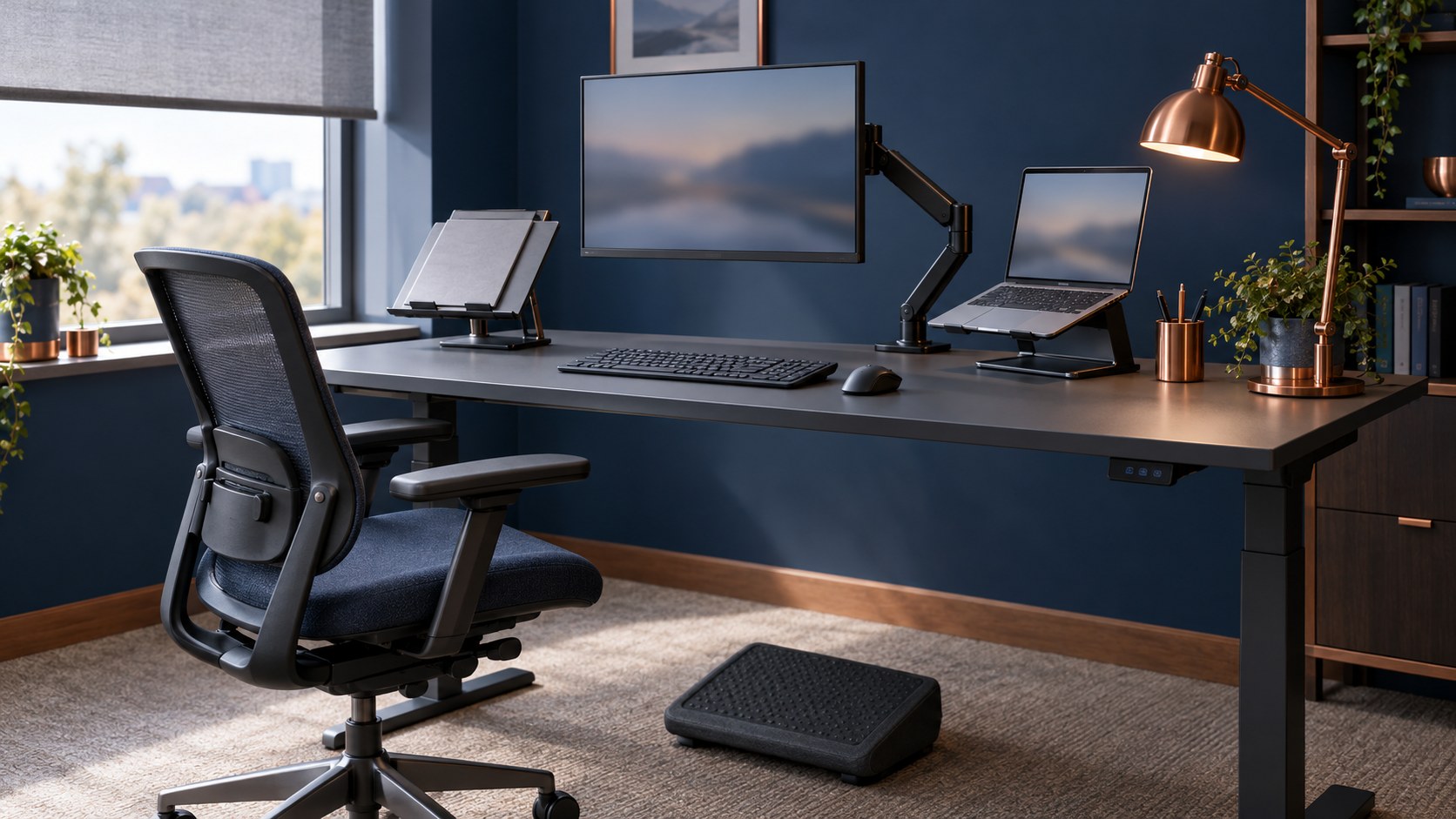
A DSE assessment is a check of a person's screen workstation, the work they do at it and their individual needs, carried out to find and reduce the risk of aches, pains, eye strain and fatigue. Under the Health and Safety (Display Screen Equipment) Regulations 1992, employers must assess the workstations of everyone who uses a computer, laptop or similar screen daily for continuous periods of an hour or more. This guide explains who needs an assessment, when to do one and how to carry it out step by step, including for home and hybrid workers.
If your main question is whether DSE training itself is a legal requirement, start with our guide to DSE training in the UK. For risk assessment in general, see risk assessment training.
What is a DSE assessment?
Regulation 2 of the DSE Regulations requires every employer to carry out a "suitable and sufficient analysis" of the workstations used by its DSE users, to assess the health and safety risks of that use. The employer must then reduce the risks it finds "to the lowest extent reasonably practicable".
HSE calls this a workstation assessment. Its guidance on workstations and assessment says employers should look at:
- the whole workstation, including equipment, furniture and work conditions
- the job being done
- any special requirements of a member of staff, for example a user with a disability
In law, a "workstation" is more than the screen. Regulation 1 defines it to include the keyboard, mouse or other input device, any document holder, chair, desk, telephone or printer, and the immediate work environment around the equipment.
Who needs a DSE assessment?
The Regulations protect "users": employees who habitually use display screen equipment as a significant part of their normal work. HSE's DSE overview puts it more simply: the Regulations apply to workers who use DSE daily, for continuous periods of an hour or more. They do not apply to people who use a screen infrequently or only for short spells.
HSE confirms the law applies whether users are at a fixed workstation, working on the move, working from home or hot-desking. Employers must also assess workstations they provide for self-employed "operators" who use DSE as a significant part of their work.
Regulation 1(4) excludes some equipment, including:
- drivers' cabs and control cabs for vehicles or machinery
- screens on board a means of transport
- equipment mainly intended for use by the public
- portable systems not in prolonged use
- calculators, cash registers and equipment with a small data or measurement display
A laptop used for long periods is not a "portable system not in prolonged use", so laptop users who meet the daily one-hour test still need an assessment.
When should you carry one out?
HSE says employers must carry out an assessment when:
- a new workstation is set up
- a new user starts work
- a change is made to an existing workstation or the way it is used
- users complain of pain or discomfort
There is no fixed renewal date in law. Under regulation 2(2), the employer must review an assessment if there is reason to suspect it is no longer valid, or if there has been a significant change in the matters it covers.
What the Regulations require of employers
The assessment sits alongside five other duties in the 1992 Regulations, as amended in 2002:
- Regulation 2: analyse workstations, reduce the risks found and review the assessment when needed.
- Regulation 3: make sure workstations meet the minimum requirements in the Schedule, so far as each requirement applies.
- Regulation 4: plan users' work so it is periodically interrupted by breaks or changes of activity.
- Regulation 5: arrange an eye and eyesight test when a user asks for one, and provide special corrective appliances where the test shows they are needed and normal glasses cannot be used.
- Regulation 6: provide adequate health and safety training in the use of the workstation.
- Regulation 7: give users adequate information about workstation health and safety and the measures taken.
How to carry out a DSE assessment in six steps
1. Identify your DSE users
List everyone who uses a screen daily for continuous periods of an hour or more, wherever they work. Include home, hybrid and mobile workers, people who hot-desk and new starters.
2. Train users and gather their input
Users know where they feel discomfort, so involve them. HSE's free DSE workstation checklist (CK1) covers risk factors in six areas: keyboards, mouse and trackball, display screens, software, furniture and the work environment. Users can complete a self-assessment, but they need training first so they understand what good looks like.
3. Check the workstation against the Schedule
The Schedule sets minimum standards, applied where a component is present and relevant to the task. Key points include:
- Screen: stable and clear image, easily adjustable brightness and contrast, swivels and tilts, free of glare and distracting reflections.
- Keyboard: tiltable and separate from the screen, with space in front to support the hands and arms and a matt surface.
- Desk: large enough, low-reflectance and flexible enough to arrange the screen, keyboard and documents comfortably.
- Chair: stable, with an adjustable seat height and a back adjustable in height and tilt.
- Footrest: available to any user who wants one.
- Environment: enough space to change position, suitable lighting, adjustable window coverings, and no uncomfortable noise, heat or humidity.
4. Look at the job and the person
A perfect desk does not help if the work involves hours of uninterrupted data entry. Check how long people spend at the screen, whether they get natural breaks, and whether anyone has particular needs, such as a disability, an injury or a pregnancy. HSE's work routine and breaks guidance says there is no legal rule on break length, but short, frequent breaks are better than longer, less frequent ones: 5 to 10 minutes every hour is better than 20 minutes every 2 hours.
5. Act on what you find
Fix the problems the assessment identifies. Often this is a simple adjustment, such as raising a screen, moving a mouse closer or closing a blind. Sometimes it means equipment: a separate keyboard and mouse for a laptop, a riser, a footrest or a new chair. HSE says workers cannot be charged for equipment the assessment shows is needed. A trained assessor should review user self-assessments, clear up any doubtful points, give feedback and make sure problems are put right.
6. Record, tell users and review
If you employ five or more people, regulation 3(6) of the Management of Health and Safety at Work Regulations 1999 requires you to record the significant findings of your risk assessments. Tell users what you found and what you have done, as regulation 7 requires. Then review the assessment whenever one of HSE's triggers applies.
Home and hybrid workers
HSE's home working guidance says the Regulations can apply to people who work at home on a permanent or long-term basis, and to people who routinely split their time between the workplace and home. They do not apply to occasional or short periods of screen use at home.
Where the Regulations apply, you should carry out an assessment for each worker. In most cases you do not need to visit their home: a trained worker can complete a self-assessment using a checklist. For hybrid workers, the assessment should cover both the office and home set-ups. Home workers may not need office furniture to achieve a comfortable posture, but you should check that their own equipment is suitable.
Common mistakes
- Treating software as the assessment. HSE says assessment software can help, but it is not an assessment on its own. A trained assessor must review the results and act on them.
- Assessing once and never again. New equipment, a desk move, a change to the job or a complaint of pain should all prompt a review.
- Forgetting remote staff. Long-term home and hybrid workers are covered and need an assessment too.
- Buying kit without fixing the cause. An expensive chair does not solve a screen placed off to one side or a job with no breaks.
- Skipping training. Users who have not been trained cannot give reliable self-assessment answers.
Why it matters
HSE's musculoskeletal disorder statistics estimate that 511,000 workers in Great Britain suffered from a work-related musculoskeletal disorder in 2024/25, with 7.1 million working days lost. Not all of these are caused by screen work, but 41% of cases mainly affected the upper limbs or neck, the areas poor workstation set-up tends to strain. HSE notes that DSE work does not cause permanent damage to the eyes, but long spells can lead to tired eyes, discomfort, temporary short-sightedness and headaches.
What employees can do
Section 7 of the Health and Safety at Work etc. Act 1974 requires employees to take reasonable care of their own health and safety and to cooperate with their employer. In practice, that means completing your self-assessment honestly, using adjustable equipment properly, taking breaks and reporting discomfort early. If you ask for an assessment and nothing happens, raise it with your manager or safety representative in writing. If it is still not resolved, you can tell HSE about a health and safety issue. For many workplaces, such as shops, the local council's environmental health team is the enforcing authority instead.
Common questions
What is the difference between a DSE assessment and DSE training?
The assessment is the employer's check of a specific workstation, job and person under regulation 2. Training, under regulation 6, teaches users how to set up and use their workstation safely. Users need both, and training helps them take part in their own assessment.
How often should a DSE assessment be done?
There is no fixed legal interval. Assess when a workstation is set up, when a new user starts, when the workstation or the way it is used changes, and when someone reports pain or discomfort. Review it whenever there is reason to think it is no longer valid.
Can employees carry out their own DSE assessment?
Yes, if they have been trained. HSE accepts self-assessment, for example with its workstation checklist, but a trained assessor should review the results, follow up any doubtful answers and make sure problems are fixed.
Does my employer have to pay for an eye test?
Yes, if you are a DSE user and you ask for one. HSE's eye test guidance says the employer must pay for a full eye and eyesight test by an optometrist or doctor. The employer only has to pay for glasses if you need special glasses for the distance you view your screen at; if your ordinary prescription is suitable, they do not.
Do home workers need a DSE assessment?
Yes, if they work at home on a permanent or long-term basis, or routinely split their time between home and the workplace, and they meet the daily one-hour test. In most cases a trained self-assessment is enough and no home visit is needed.
What if my employer has not done a DSE assessment?
Ask for one in writing and mention any discomfort you have. Speak to your safety representative if you have one. If your employer still does not act, you can raise the issue with HSE or, for many workplaces such as shops, your local council.
Train your DSE users
A good assessment depends on users who know what a safe set-up looks like. The CPD-accredited learndirect Display Screen Equipment Training course takes about 60 minutes and covers workstation set-up, the health risks of screen work, laptop, home and hybrid working, high-frequency screen use and how to carry out a DSE risk assessment. Learners complete an online risk assessment as part of the course, giving your assessor something to review, and receive an instant certificate recognised by UK employers.
The course costs GBP 25 + VAT per learner. For teams, 10 learners cost GBP 212.50, 25 learners GBP 468.75, 50 learners GBP 812.50 and 100 learners GBP 1,375. For staff who work mainly from home, add Homeworkers Health and Safety Training, and for contact centre teams, see Display Screen Equipment Training for Call Centres. Explore the full range in the learndirect health and safety category, and read our guide to manual handling training for the wider picture on musculoskeletal risk at work.
Frequently asked
What is the difference between a DSE assessment and DSE training?
The assessment is the employer's check of a specific workstation, job and person under regulation 2. Training, under regulation 6, teaches users how to set up and use their workstation safely. Users need both, and training helps them take part in their own assessment.
How often should a DSE assessment be done?
There is no fixed legal interval. Assess when a workstation is set up, when a new user starts, when the workstation or the way it is used changes, and when someone reports pain or discomfort. Review it whenever there is reason to think it is no longer valid.
Can employees carry out their own DSE assessment?
Yes, if they have been trained. HSE accepts self-assessment, for example with its workstation checklist, but a trained assessor should review the results, follow up any doubtful answers and make sure problems are fixed.
Does my employer have to pay for an eye test?
Yes, if you are a DSE user and you ask for one. The employer must pay for a full eye and eyesight test by an optometrist or doctor. It only has to pay for glasses if you need special glasses for the distance you view your screen at; if your ordinary prescription is suitable, it does not.
Do home workers need a DSE assessment?
Yes, if they work at home on a permanent or long-term basis, or routinely split their time between home and the workplace, and they meet the daily one-hour test. In most cases a trained self-assessment is enough and no home visit is needed.
What if my employer has not done a DSE assessment?
Ask for one in writing and mention any discomfort you have. Speak to your safety representative if you have one. If your employer still does not act, you can raise the issue with HSE or, for many workplaces such as shops, your local council.
Sources and further reading
- Health and Safety (Display Screen Equipment) Regulations 1992, regulation 1 (legislation.gov.uk)
- Health and Safety (Display Screen Equipment) Regulations 1992, regulation 2 (legislation.gov.uk)
- Health and Safety (Display Screen Equipment) Regulations 1992, Schedule (legislation.gov.uk)
- Management of Health and Safety at Work Regulations 1999, regulation 3 (legislation.gov.uk)
- Working safely with display screen equipment (HSE)
- DSE workstations and assessment (HSE)
- Working with display screen equipment at home (HSE)
- DSE eyes and eyesight testing (HSE)
- DSE work routine and breaks (HSE)
- DSE workstation checklist CK1 (HSE)
- Work-related musculoskeletal disorders statistics in Great Britain, 2025 (HSE)