Yes, for anyone who qualifies as a DSE "user". DSE training is a legal requirement in the UK under the Health and Safety (Display Screen Equipment) Regulations 1992 whenever an employee uses display screen equipment daily for continuous periods of an hour or more. The employer must carry out a workstation risk assessment, provide adequate information and training on safe use, pay for an eye and eyesight test on request, provide basic corrective spectacles where they are needed solely for DSE work, and ensure the daily routine is broken up by short breaks or changes of activity. The rules apply whether the workstation is in the office, at home, or in a hot-desking setup. Non-compliance is enforceable by the Health and Safety Executive (HSE) under the Health and Safety at Work etc. Act 1974 and by civil claims from staff who develop musculoskeletal disorders or vision problems.
The legal framework in plain English
DSE law in Great Britain sits in one short set of regulations, backed by two broader duties. Each one bites at inspection.
Health and Safety (Display Screen Equipment) Regulations 1992
The DSE Regulations 1992, amended in 2002, are the primary rule. They apply to "users", defined in Regulation 1 as employees who habitually use display screen equipment as a significant part of their normal work. HSE guidance sets the practical threshold at daily use for continuous periods of an hour or more. Once someone is a user, the employer must do five things: assess the workstation (Regulation 2), meet the minimum workstation requirements in the Schedule (Regulation 3), plan the daily routine to include short breaks or changes of activity (Regulation 4), provide eye and eyesight tests on request and pay for corrective spectacles where needed solely for DSE (Regulation 5), and provide information and training on safe use (Regulations 6 and 7). Homeworkers and hot-deskers who meet the "user" test are covered on the same basis as fixed-desk staff.
Health and Safety at Work etc. Act 1974
Section 2 of HSWA 1974 places a general duty on every employer to ensure, so far as is reasonably practicable, the health, safety and welfare of employees. Where a foreseeable DSE-related hazard exists, and it is foreseeable in nearly every office role, training is one of the reasonable steps an employer must take. Enforcement is by HSE or the relevant local authority, and the maximum penalty on indictment is an unlimited fine and up to two years in prison.
Management of Health and Safety at Work Regulations 1999
Regulation 3 of the Management Regulations 1999 requires a suitable and sufficient risk assessment of significant hazards, which for a DSE user is normally the workstation assessment required by the 1992 Regulations. Regulation 13 requires adequate health and safety training on recruitment and whenever a new or changed risk is introduced. This is the regulation that closes the "we assumed they knew" defence when a new starter later develops back pain or repetitive strain injury.
What counts as display screen equipment?
The 1992 Regulations define display screen equipment as any alphanumeric or graphic display screen. In practice that covers:
- Desktop computer monitors, including single and multi-monitor setups.
- Laptops and portable computers used at a workstation.
- Tablets, iPads and touchscreens used for work tasks for extended periods.
- Interactive display panels in retail, hospitality, clinical and manufacturing settings.
- Curved and ultra-wide monitors used in finance, design and software development.
- CAD workstations, video-editing suites, and control-room screens.
The Regulations do not apply to drivers' cabs, screens on transport, calculators, cash registers, portable systems not in prolonged use, and window typewriters. They do apply to a laptop used at a desk for the working day, and they apply the moment a homeworker becomes a "user".
Who is a DSE "user"?
Not every employee who touches a screen is a user in law. HSE guidance treats the "user" test as met when the person uses DSE daily, for continuous periods of an hour or more, and the work depends on it. Typical users include:
- Office administrators, accounts staff, HR and payroll teams.
- Contact-centre and customer-service advisers.
- Software developers, data analysts and IT operations staff.
- Designers, architects, engineers and video editors on multi-monitor rigs.
- Clinical staff who spend most of a shift on electronic patient records.
- Journalists, editors, researchers and knowledge workers.
- Managers who spend a working day in email, spreadsheets and video calls.
A worker who uses DSE occasionally or for short intervals is not a user and the specific DSE duties do not bite. The general HSWA duty to protect them from foreseeable harm still does.
Why this matters: the health and cost picture
Musculoskeletal disorders (MSDs) are the second-largest category of self-reported work-related ill health in Great Britain. According to HSE's most recent statistics, 511,000 workers suffered from a work-related musculoskeletal disorder (new or long-standing) in 2024/25, and 7.1 million working days were lost to MSDs in the same year. Upper-limb and neck disorders account for roughly half of those cases and are the ones most closely linked to prolonged screen work, poor posture, unsupported wrists, and monitors set at the wrong height.
Common DSE-related conditions include:
- Upper-limb disorders and repetitive strain injury (RSI) affecting fingers, wrists and forearms.
- Neck and shoulder pain from monitors set too high, too low or too far off-centre.
- Lower-back pain from unsupported seating and long unbroken sitting periods.
- Carpal tunnel syndrome from prolonged unsupported keyboard and mouse use.
- Tension headaches driven by neck posture, glare and uncorrected vision.
- Visual fatigue and dry-eye symptoms from continuous close-focus work.
None of these are caused by DSE itself. They are caused by badly set-up workstations, unbroken routines, and untrained users. A workstation assessment plus a short training course typically prevents them and provides the audit trail HSE inspectors and civil courts look for.
What good DSE training covers
A competent DSE course is not a chair-adjustment demonstration. It exists so that a user can complete their own workstation self-assessment, spot when to escalate, and understand the legal context. Look for training that covers, at a minimum:
- The legal framework: HSWA 1974, the DSE Regulations 1992 (as amended 2002), the Management Regulations 1999, and the employer duties for assessment, breaks, eye tests and training.
- Who is a DSE user and how the "habitual, one hour or more" test applies to office, home and hybrid working.
- The health effects of poor DSE use: upper-limb disorders, back and neck pain, visual fatigue, and the difference between symptoms that resolve with a workstation change and those that need occupational health input.
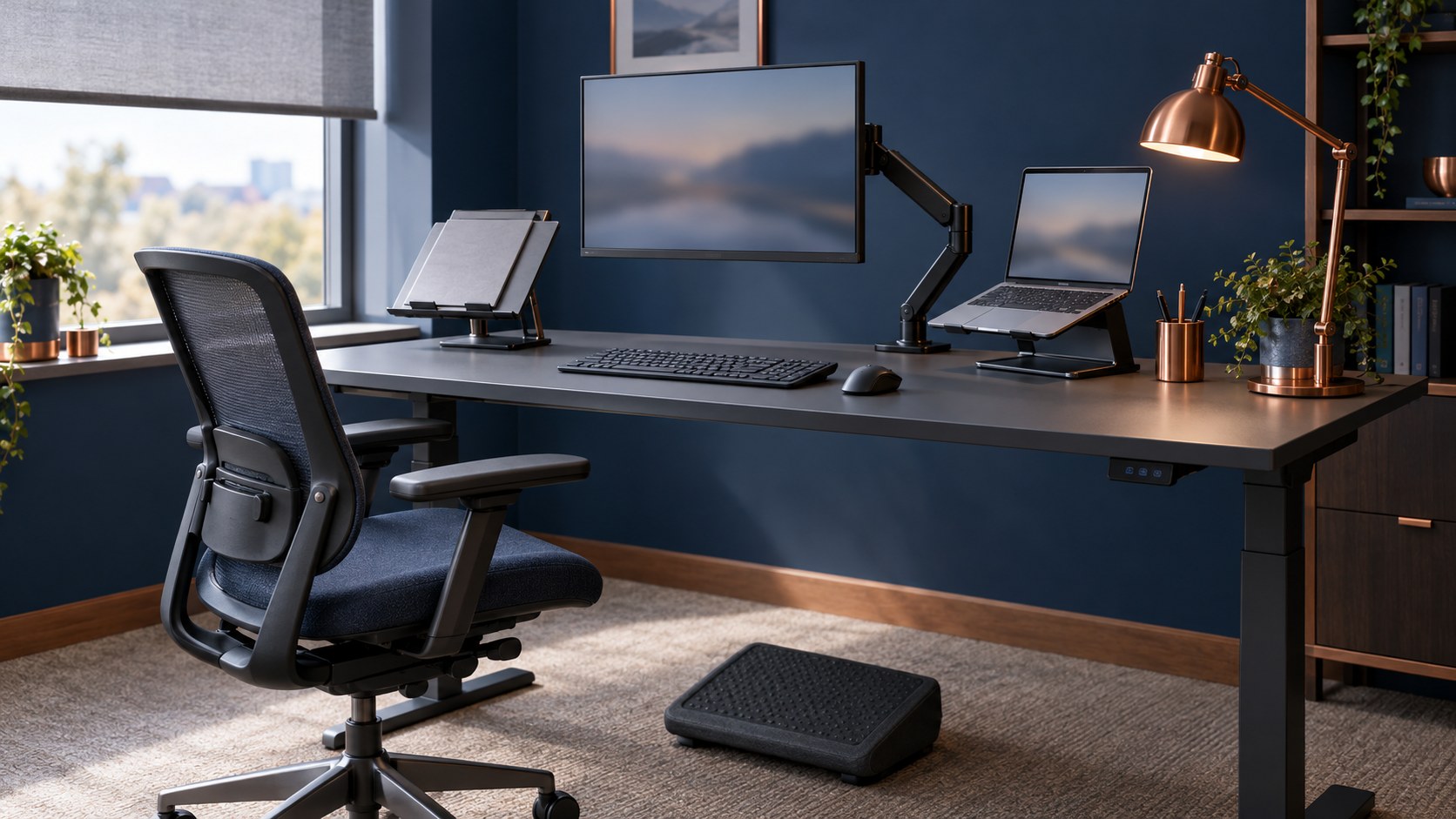
- Ergonomic principles for chair, desk, monitor, keyboard, mouse, document holder and footrest, referenced against the Schedule to the 1992 Regulations.
- Screen setup: viewing distance of roughly an arm's length, top of the usable screen area at or slightly below eye level, tilt to reduce glare, brightness matched to the surrounding room.
- Laptop and portable use: docking, external keyboard and mouse, separate monitor or laptop riser for anything more than short intervals.
- Breaks and task variety: how to plan short, frequent changes of activity rather than one long lunchtime break.
- Eye and eyesight tests: when to request one, what the employer must pay for, and when corrective spectacles are provided.
- Homeworking and hot-desking: how to run a basic self-assessment, when to escalate, and what employers must provide when the desk is not on their premises.
- Recording the assessment and reporting problems: what evidence HSE and insurers expect, and how to raise concerns before they become injuries.
Employer duties in practice
Alongside the training itself, HSE's Working with display screen equipment guidance sets out the day-to-day duties every employer with DSE users must meet:
- Complete a workstation assessment for every user, refreshed when the workstation, the equipment or the work materially changes.
- Reduce risks by adjusting equipment, providing accessories such as footrests, wrist rests, laptop risers, docking stations and external keyboards, and ensuring lighting and noise are appropriate.
- Plan work so that DSE tasks are broken up by short, frequent changes of activity. Software timers and diary blocks are common ways to enforce this.
- Pay for an eye and eyesight test on request, at reasonable intervals thereafter, and pay for basic corrective spectacles where they are needed solely for DSE use. There is no age threshold for the entitlement.
- Provide information, instruction and training on DSE risks and how to control them. This is the requirement that DSE training satisfies.
- Extend the same duties to homeworkers and hot-deskers who meet the "user" test. HSE guidance is explicit that hot-deskers should carry out a basic self-assessment each time they change desks.
An employer who has an assessment, a training record, and an eye-test policy on file has a defensible position. An employer who has none of those has a difficult one.
How often should DSE training be refreshed?
The 1992 Regulations do not set a fixed interval. HSE guidance and industry practice are consistent: refresh training whenever the user changes role, changes workstation, is provided with new equipment, returns from long-term absence, or reports discomfort. Many employers also run a routine refresh every two to three years as a matter of good practice. New starters must be trained at induction if they will be DSE users. Where the organisation adopts homeworking or hybrid working, retraining is the standard trigger for the new working pattern.
Enforcement consequences
HSE and local-authority environmental health officers can issue Improvement Notices requiring action within a fixed period, and can prosecute under HSWA 1974 or the 1992 Regulations. Fines on conviction are unlimited. Beyond the fine, prosecuted organisations face insurance premium increases, employers' liability claims from workers who develop MSDs, and reputational damage. Employers' liability insurers routinely ask for evidence of a DSE assessment programme and training record; a gap in either can affect renewal terms.
learndirect's Display Screen Equipment Training
learndirect's Display Screen Equipment Training is a CPD-accredited online course designed for office, homeworking and hybrid staff who meet the DSE "user" test. It takes around 90 minutes to complete, costs £25 for a single seat with volume discounts from ten seats upwards, and awards an instant downloadable certificate on completion. The course covers the legal framework (HSWA 1974, the DSE Regulations 1992, the Management Regulations 1999), the "user" test in practice, the health effects of poor DSE use, workstation self-assessment against the Regulations' Schedule, ergonomic setup for chair, desk, monitor, keyboard and mouse, breaks and task variety, eye and eyesight tests, and the specific rules for laptops, homeworking and hot-desking. The certificate is recognised by UK employers and by HSE inspectors as evidence of the training required by Regulations 6 and 7 of the 1992 Regulations.
For sector-specific delivery, learndirect also offers Display Screen Equipment Training for Call Centres (30 minutes, focused on contact-centre workstations and shift patterns) and a Display Screen Equipment Training Ireland Edition aligned with the Safety, Health and Welfare at Work (General Application) Regulations 2007 Part 2 Chapter 5.
Book a single seat, roll it out to a whole office, or bundle it with Manual Handling and Health and Safety Level 2 for a complete workstation-safety programme.
Frequently asked
Is DSE training a legal requirement in the UK?
Yes, for any employee who qualifies as a DSE 'user'. The Health and Safety (Display Screen Equipment) Regulations 1992, as amended in 2002, require the employer of a user to complete a workstation assessment, plan the daily routine to include short breaks or changes of activity, pay for eye and eyesight tests on request, provide corrective spectacles where they are needed solely for DSE, and provide information and training on safe use. The general duty in the Health and Safety at Work etc. Act 1974 backs those specific rules, and HSE and local-authority inspectors treat completed DSE training as the standard evidence of Regulations 6 and 7.
Who counts as a DSE 'user'?
Regulation 1 of the 1992 Regulations defines a user as an employee who habitually uses display screen equipment as a significant part of their normal work. HSE guidance sets the practical threshold at daily use for continuous periods of an hour or more. Once someone is a user, the full DSE duties apply, whether they work in an office, from home, or on a hot-desk basis.
Does DSE training cover homeworkers and hybrid staff?
Yes. HSE guidance is explicit that the DSE Regulations apply to homeworkers and hot-deskers who meet the 'user' test on the same basis as fixed-desk staff. Homeworkers should complete a workstation self-assessment, and hot-deskers should carry out a basic self-assessment each time they change desks. A competent DSE course covers the specific ergonomic and equipment considerations for laptops, home offices and shared workstations.
How often should DSE training be refreshed?
The 1992 Regulations do not set a fixed interval. HSE guidance and industry practice are consistent: retrain whenever the user changes role, changes workstation, is provided with new equipment, returns from long-term absence, reports discomfort, or moves between office and homeworking. Many employers also run a routine refresh every two to three years as a matter of good practice, and new starters must be trained at induction if they will be DSE users.
Does the employer have to pay for an eye test and glasses?
Yes, where the employee is a DSE user. Regulation 5 of the 1992 Regulations requires the employer to pay for an eye and eyesight test on request, and at reasonable intervals thereafter. The employer must also pay for basic corrective spectacles where they are needed solely for DSE work. There is no age threshold for the entitlement, and the employer cannot refuse a first request on the ground of cost.
How much does DSE training cost?
learndirect's Display Screen Equipment Training is GBP 25 for a single seat, with volume discounts starting at ten seats. For a small business with fifty office staff, that is GBP 1,250 for a full training round with a per-user certificate for the employers' liability insurance file. The 30-minute Call Centre edition and the Ireland edition are both priced on the same tier.
Sources and further reading
- HSE: Working with display screen equipment (DSE)
- Health and Safety (Display Screen Equipment) Regulations 1992 (legislation.gov.uk)
- Health and Safety at Work etc. Act 1974 (legislation.gov.uk)
- Management of Health and Safety at Work Regulations 1999 (legislation.gov.uk)
- HSE: Work-related musculoskeletal disorders statistics in Great Britain (2024/25)
- HSE: Key figures for Great Britain (2024/25)
- learndirect Display Screen Equipment Training